
Beyond App Fatigue: 12 ChatGPT Integrations That Make Tech Frictionless for Adults Over 50
For years, the “tech tax” has been a frustrating reality of modern life. Every time you want to order food, book a flight, or share a photo gallery with family, you are forced to download a new app, create yet another password, master a brand-new interface, and dodge a barrage of marketing notifications.
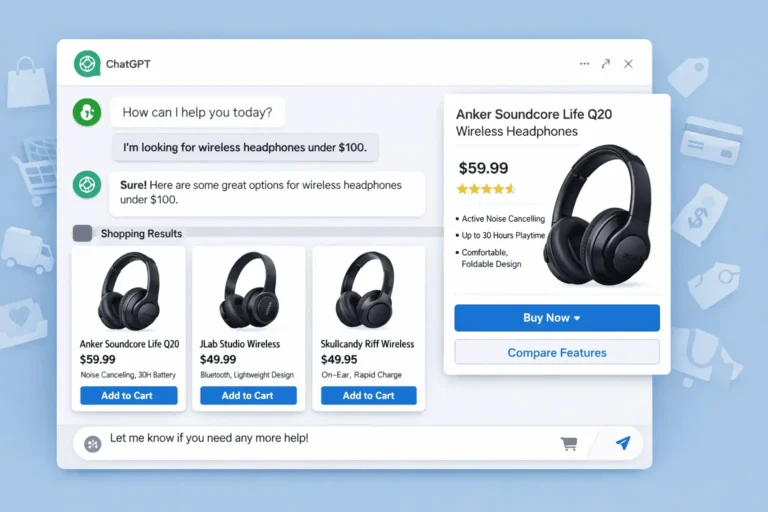
The launch of the ChatGPT App Hub fundamentally changes this dynamic. Instead of forcing you to bend to the software, these integrations allow the software to bend to you.
Connecting external platforms directly into ChatGPT, you can bypass confusing drop-down menus entirely. You don’t need to learn how to navigate five different websites; you just need to know how to ask for what you want in plain English.
The Shift to “Zero-Interface” Technology
To understand why this matters, consider how much digital friction disappears when you switch from traditional searching to conversational AI apps:
| Task | The Traditional Way (High Friction) | The ChatGPT App Way (Zero Interface) |
|---|---|---|
| Travel Planning | Open 6 tabs, track dates manually, compare flight layovers, dodge hidden fees. | Type a description of your ideal pace, budget, and locations into a single chat box. |
| Graphic Design | Learn layers, pixel dimensions, font pairing rules, and canvas tools. | Describe the mood and event, then watch a template build itself automatically. |
| Digital Security | Manually research suspicious domain extensions or parse confusing tech forums. | Paste a weird text message directly into the window for an instant plain-English safety audit. |
Here are the five essential ChatGPT integrations you should activate today to simplify your digital life.
1. The Expedia App: The End of Multi-Tab Travel Planning
Traditional travel sites are designed to overwhelm you with filters, pop-ups, and artificial urgency. The Expedia integration turns ChatGPT into a quiet, collaborative travel concierge that builds detailed itineraries around your personal energy levels and preferences rather than corporate algorithms.
The Sample Prompt to Use:
“Use Expedia to architect a relaxed, 6-day autumn itinerary through the coastal towns of Bali for two adults. We prefer a slow travel pace with minimal walking distances between parking and venues. We need a hotel with a walk-in shower under $250 a night, recommendations for authentic, non-touristy seafood spots, and a scenic afternoon boat cruise. Highlight any potential mobility hurdles.”
2. The Canva App: Seamless Family Legacy and Event Projects
Most design programs assume you want to be a professional graphic designer. The Canva integration assumes you simply have a beautiful story or event to share. By pairing ChatGPT’s language skills with Canva’s visual library, you can generate family heirloom templates, custom greeting cards, or neighborhood notices instantly.
Use This Prompt to Try:
“Act as a high-end print designer via Canva. I need a template for a custom family recipe book cover. The aesthetic should feel warm, rustic, and classic, featuring watercolor illustrations of herbs like rosemary and thyme. Use a clean, highly legible serif font for the title ‘The Miller Family Kitchen’ and leave a clear placeholder for a family subtitle.”
3. The Norton App: An On-Demand Digital Defense Guard
Online safety has become a minefield of sophisticated text scams, lookalike package tracking alerts, and manipulative phishing emails. Instead of guessing whether an alert is real, the Norton integration acts as a neutral, tech-savvy family member you can consult 24/7 without feeling embarrassed.
The Prompt to Use:
“Analyze the text block I am pasting below using the Norton security tool. Break down the specific technical red flags—such as suspicious URL patterns, urgent phrasing, or irregular sender addresses—and explain in plain language whether this mirrors a known postal delivery or banking scam. Tell me exactly what steps to take next without clicking anything.”
4. The Spotify App: The Ultimate Nostalgia Time Capsule
Navigating modern streaming services can feel like walking through a loud music store where you don’t recognize any of the artists on display. The Spotify integration allows you to skip the algorithmic charts and generate hyper-specific musical soundscapes rooted in your own history.
Experiment with this Prompt:
“Generate a deeply curated Spotify playlist centered around the acoustic folk-rock and soft soul sounds of the late 1970s. Start with deep cuts from artists like Joni Mitchell and Bill Withers, then seamlessly weave in modern, slow-tempo artists who carry that exact same analog, instrumentation-heavy warmth. Avoid high-energy pop tracks.”
5. The Zillow App: Practical “Aging-in-Place” Real Estate Exploration
Whether you are actively looking to downsize to a more manageable layout, searching for a home closer to family, or just keeping an eye on the local market, Zillow inside ChatGPT removes the tedious work of adjusting tiny map sliders and checking boxes.
The Prompt to Give it a Spin:
“Search Zillow for single-family, single-story homes listed under $425,000 within a 20-mile radius of Charlottesville, Virginia. The property must prioritize aging-in-place features: zero-step entries, a minimal lawn requiring low maintenance, a safe neighborhood walkability score, and close proximity to healthcare facilities. Group the results by price.”
How to Unlock the App Hub in Under 60 Seconds
Ready to try it out? You do not need to purchase any extra software or downloads.
- Initiate a New Chat Session: Step 1. Open your ChatGPT window on your desktop web browser or tap open the official mobile application on your tablet or smartphone.
- Access the Integration Hub: Step 2. Locate and click the Apps link or the + symbol situated right next to the message input box.
- Search and Connect: Step 3. Type your target service (e.g., “Norton” or “Expedia”) into the search bar, click on the official tool, and select the option to add or authorize it.
Once connected, you never have to navigate back to that menu again. The next time you type a prompt mentioning that brand, ChatGPT automatically summons the tool to do the heavy lifting for you.
7 Heavy-hitters currently dominating the ChatGPT App Hub for everyday life
If you are looking to turn ChatGPT from a conversational sounding board into an active executive assistant, the utility, productivity, and organization spaces are where the App Hub truly shines.
Instead of treating AI like a text generator, these integrations turn it into an operator—something that can actively organize your schedule, file data, clean up your inbox, or compile your weekly shopping lists without making you lift a finger.
Here are the heavy-hitters currently dominating the ChatGPT App Hub for everyday life, streamlined workflow execution, and household management.
1. Productivity & Workflow Automation
Zapier (The Universal Connector)
Zapier is the undisputed heavyweight of AI productivity because it bridges ChatGPT to over 5,000 external applications like Google Sheets, Trello, Asana, Notion, and Slack. Instead of manually moving data, you can instruct ChatGPT to build automated workflows out of thin air.
- Best Use Case: Auto-scheduling, logging ideas, or instantly turning a brainstorm into actionable tasks.
- Prompt Architecture: “Use Zapier to extract the actionable tasks from our discussion above, create a new project board in Trello named ‘Home Renovation’, and drop these tasks in as separate cards.”
Gmail (Inbox Optimization)
Rather than opening your mail app to wade through hundreds of newsletters and transaction notices, the integrated Gmail app works directly inside your chat interface to summarize threads, extract deadlines, and draft contextual replies.
- Best Use Case: Reaching “Inbox Zero” via plain-English summaries.
- Prompt Architecture: “Scan my Gmail inbox from the past 24 hours. Group my unread emails by urgency, summarize any messages requiring a direct response, and draft a polite reply to the top priority email.”
Reclaim.ai (Intelligent Time-Blocking)
Reclaim connects to your calendar and uses AI to automatically defend your time. When linked to ChatGPT, you can map out vague personal or professional goals and watch the app intelligently schedule focus blocks, habits, and meetings around your existing commitments.
- Best Use Case: Defeating calendar fragmentation.
- Prompt Architecture: “I need to spend 4 hours this week planning a community event. Use Reclaim to find and block out high-productivity focus windows on my calendar before Friday, ensuring it doesn’t overlap with my morning walks.”
2. Everyday Utilities & Smart Information Parsing
Wolfram (The Definitively Accurate Calculator)
While language models are brilliant at words, they can occasionally trip over complex math or real-world physics data. The Wolfram integration provides ChatGPT with an engine for calculation, scientific data, and flawless logic processing.
- Best Use Case: Household budgeting, metric conversions, or accurate nutritional/scientific breakdowns.
- Prompt Architecture: “Use Wolfram to calculate the exact compound interest growth of a $10,000 investment over 15 years at a 6.5% annual return rate, compounded monthly. Show me the step-by-step mathematical progression.”
Mapify (Visual Mind-Mapping)
If you are dealing with information overload—whether it’s a massive financial report, a dense appliance instruction manual, or a long educational video—Mapify converts that wall of text into a clean, highly structured visual diagram right in your chat flow.
- Best Use Case: Breaking down complex manuals or heavy reading material into intuitive visuals.
- Prompt Architecture: “Take the text from this attached smart-home system manual and use Mapify to build a structured visual troubleshooting tree for when the network drops.”
3. Home Organization & Daily Management
Instacart (Meal-to-Cart Pipeline)
The Instacart app removes the massive friction point of moving from a digital meal plan to a physical grocery store trip. You can ask ChatGPT to design a weekly dinner plan around your dietary preferences, and the app will automatically populate an active shopping cart with the exact ingredients you need.
- Best Use Case: Effortless, healthy household meal tracking.
- Prompt Architecture: “Design a 4-day Mediterranean dinner menu for three people. Once approved, use Instacart to compile all the necessary raw ingredients into a grocery list, scaling the quantities appropriately, and prepare it for checkout.”
Structured (Visual Day-Planning)
If standard to-do lists make you anxious, the Structured integration takes a messy, unorganized list of errands, chores, and reminders and transforms them into an intuitive, hourly timeline.
- Best Use Case: Turning morning chaos into a predictable, calm daily schedule.
- Prompt Architecture: “Here are the things I need to get done today: clean the garage, call the insurance agent, grocery shop, take a lunch break, and read for an hour. Use Structured to organize these into a balanced, hour-by-hour timeline starting at 9:00 AM.”
Quick-Start Utility Matrix
| App | Category Focus | Core Superpower | Primary Daily Benefit |
|---|---|---|---|
| Zapier | Automation | Cross-platform orchestration | Saves hours of manual data entry |
| Gmail | Communication | Inbox filtering and drafting | Eliminates notification fatigue |
| Reclaim.ai | Time Management | Dynamic calendar protection | Guarantees time for high priorities |
| Wolfram | Analytical Utility | Exact math and data execution | Eliminates AI numerical errors |
| Instacart | Home Management | Conversational shopping | Translates recipes into real groceries |
| Structured | Daily Planning | Chronological task mapping | Visualizes a calm, structured day |
Pro-Tip on Combining Apps:
You can use these tools sequentially to build powerful routines. For example, you can ask ChatGPT to design a meal plan, use Instacart to add the ingredients to your shopping cart, and then use Reclaim.ai or Structured to automatically block out the cooking prep times directly onto your calendar.
Technology finally works the way it always should have: by listening to your instructions.